Slack Integration
Receive Ethiack notifications and alerts directly in your Slack workspace.
The Slack integration allows your team to receive real-time notifications about new findings directly in a Slack channel of your choice.
Setting up the integration
In the Ethiack Portal, navigate to Settings and select the Slack option under Integrations. Click Configure to begin the setup.
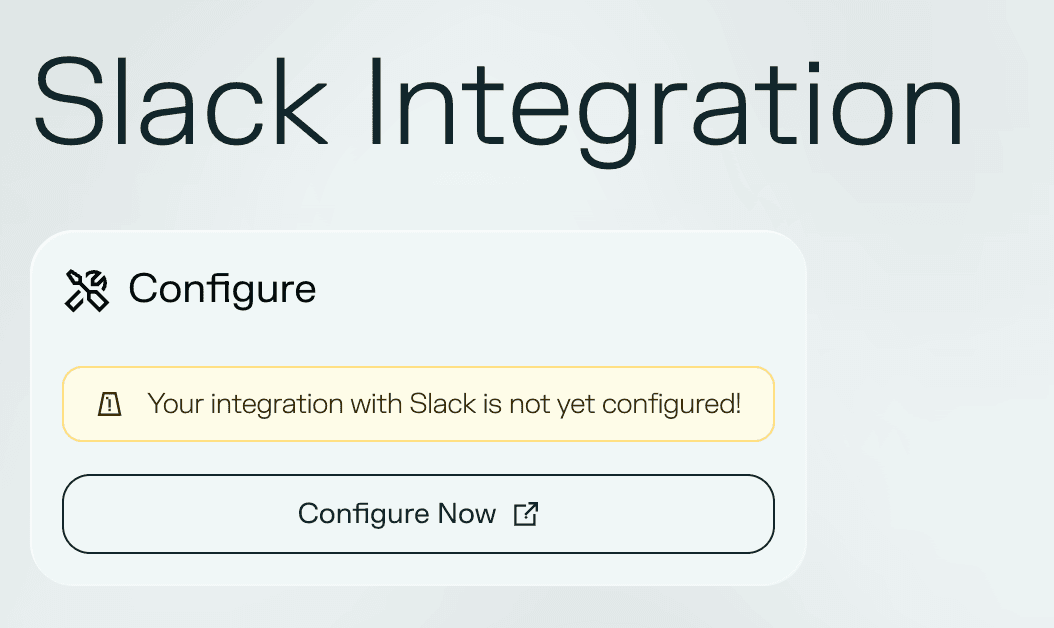
You will be redirected to Slack's authorisation page, where you can:
- Select the workspace you want to connect
- Choose the channel where notifications will be sent
- Review the permissions being requested by Ethiack
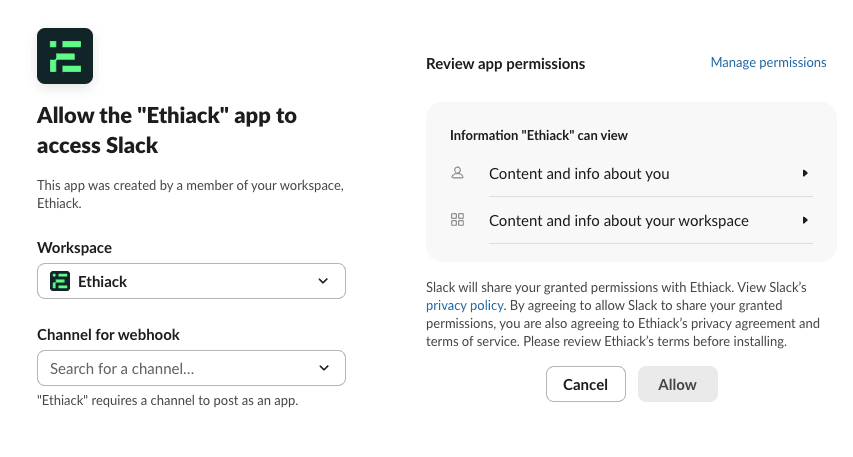
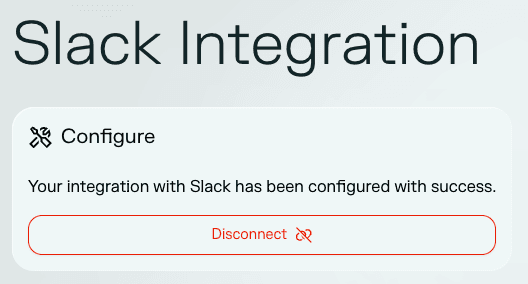
Once you click Allow, you will be redirected back to the Ethiack Portal with a confirmation that the integration was set up successfully.
Notifications
New findings with a severity of Medium or higher will automatically generate a message in the configured channel. Each notification includes:
- Title: the name of the finding
- Severity: the severity level (Medium, High, or Critical)
- Score: the numeric CVSS or Ethiack score
- Link: a direct link back to the finding in the Ethiack Portal