Findings
Ethiack findings section documentation
Description
The Findings section is the central place to track everything discovered across your attack surface. All findings are split into two categories:
- Vulnerabilities — findings with a CVSS score, representing security issues with a measurable risk level.
- Best Practices — smaller issues without a CVSS score that are worth addressing to improve your overall security posture.
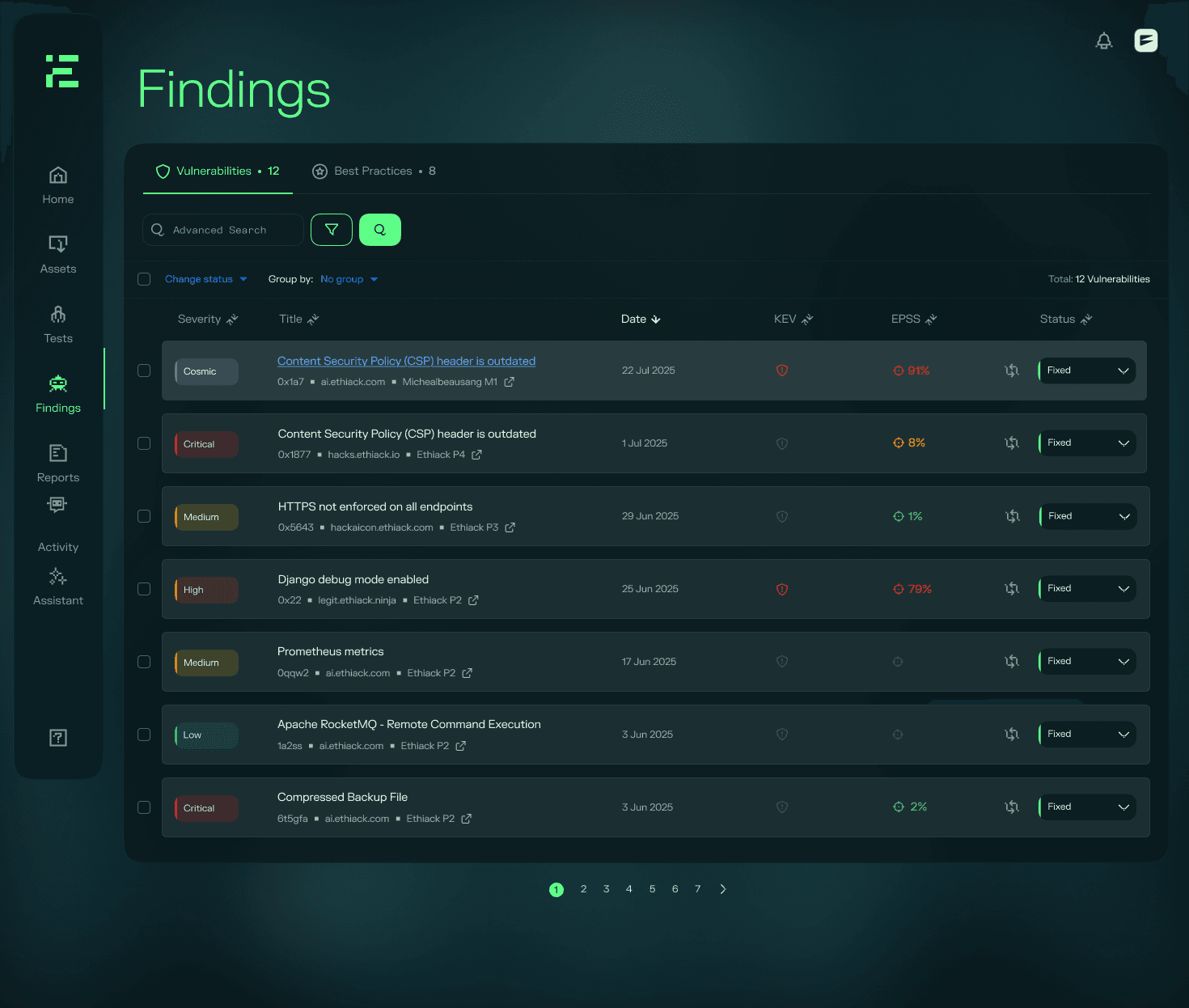
Finding information at a glance
Each finding in the list exposes the following information:
| Field | Description |
|---|---|
| Severity | The risk level of the finding |
| Title | A short description of the finding |
| Asset | The asset where the finding was identified |
| Test | The test that surfaced the finding |
| Date found | When the finding was first identified |
| EPSS | Exploit Prediction Scoring System score |
| KEV | Whether the finding appears in the CISA Known Exploited Vulnerabilities catalogue |
| Status | Current remediation status |
EPSS and KEV are explained in depth in the CISA KEV and EPSS section.
Managing findings
Filtering and sorting
You can filter and sort findings by several parameters, including severity, the test in which the finding was identified, presence in the CISA KEV catalogue, and status. This makes it easy to prioritise what needs attention first. A full breakdown of available filters and sort options is covered in the Filtering and Sorting section.
Updating status
Each finding has a status that reflects where it stands in your remediation workflow. You can update statuses individually - for example, moving a finding from Triaged to Fixed.
To bulk update findings:
- Select the findings you want to update individually, or use the select-all option at the top of the list.
- Open the Change Status dropdown.
- Select the new status to apply it to all selected findings.
Requesting a retest
Once you have marked a finding as fixed, you can request a retest to verify the remediation has been effective. Learn more in the Retesting section.
This isn't available for every finding type: leaked credentials, for example, are closed by your confirmation rather than an engine retest. See Leaked Credentials for details.