Discord Authentication
Connect your Ethiack account to the Discord community channel for Expert Pentest communication.
Registering on Discord is an essential step for effective communication regarding Expert Pentests and the exchange of vital information within the Ethiack community.
To get started, ensure you have a Discord account. If you're not already registered, complete the registration process here.
Once you have a Discord account, log in to the Ethiack Portal. Navigate to Settings and select the Discord option under Integrations.
If you haven't already joined the Ethiack Channel on Discord, click the "Join Ethiack on Discord" button:
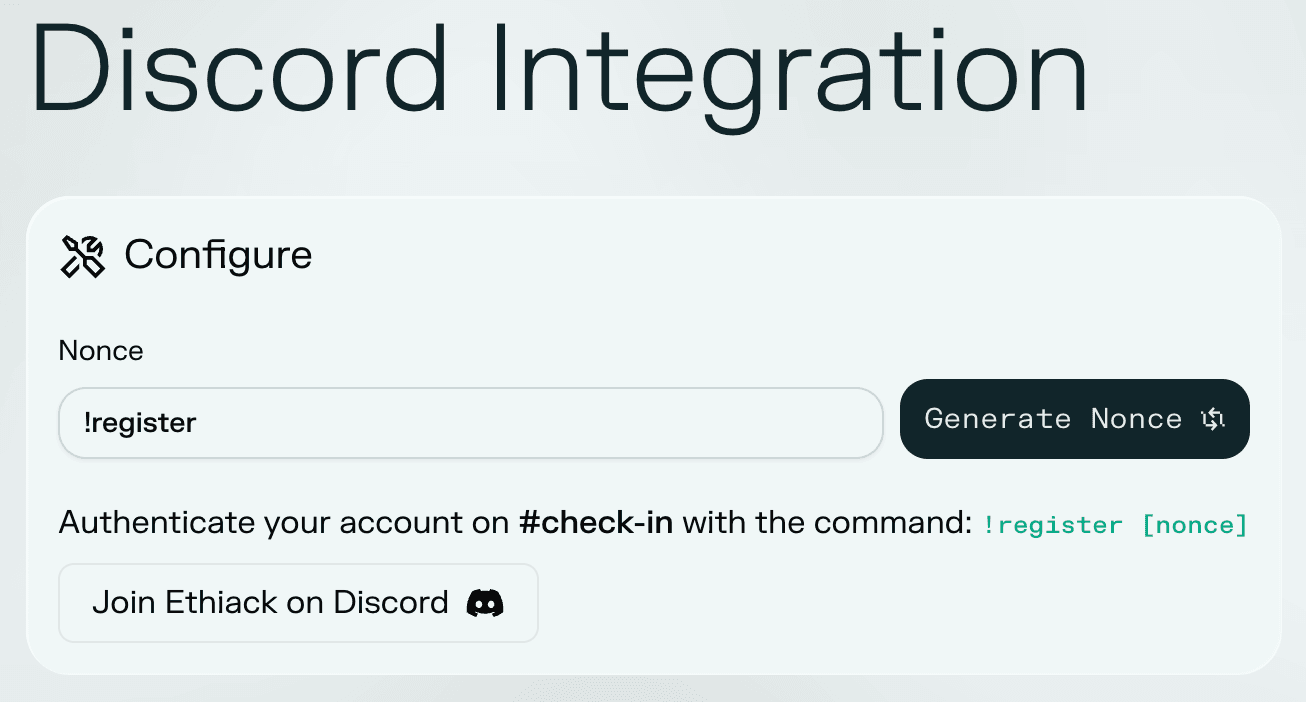
Next, take note of the nonce that appears on the same tab in the Ethiack platform. Follow the instructions in the Discord section, which will ask you to authenticate your account on #check-in with the command:
!register [nonce]Upon completing these steps, you will be officially registered on the Ethiack Channel and your role will be automatically assigned.