Service Desk Integration
Sync Ethiack findings with your ServiceDesk Plus instance to streamline vulnerability management workflows.
The ServiceDesk Plus integration allows Ethiack to automatically create tickets for new findings and keep their status in sync with your service desk instance.
Setting up the integration
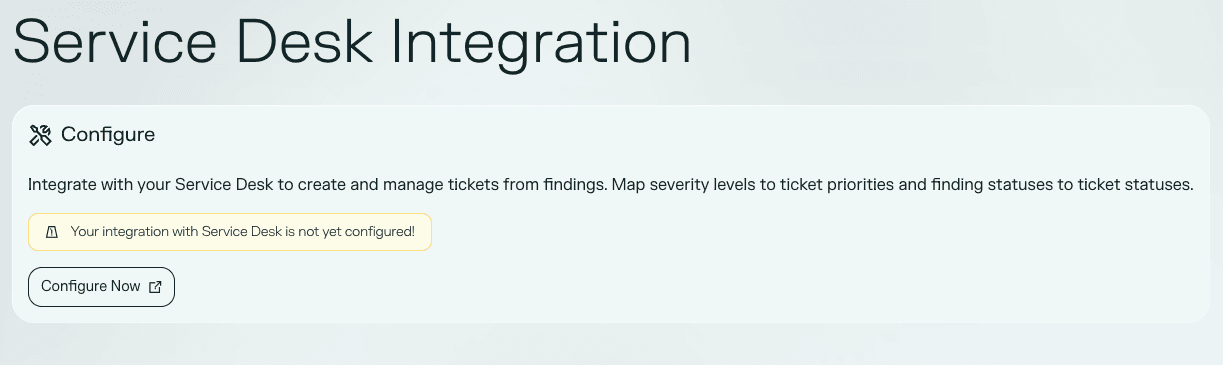
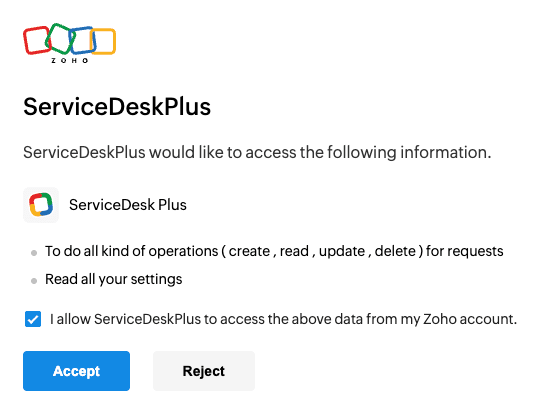
In the Ethiack Portal, navigate to Settings and select the Service Desk option under Integrations. Click Configure to begin the setup: you will be redirected to your Zoho account to start the linking process.
Instance details
You will then need to provide details about your ServiceDesk Plus instance:
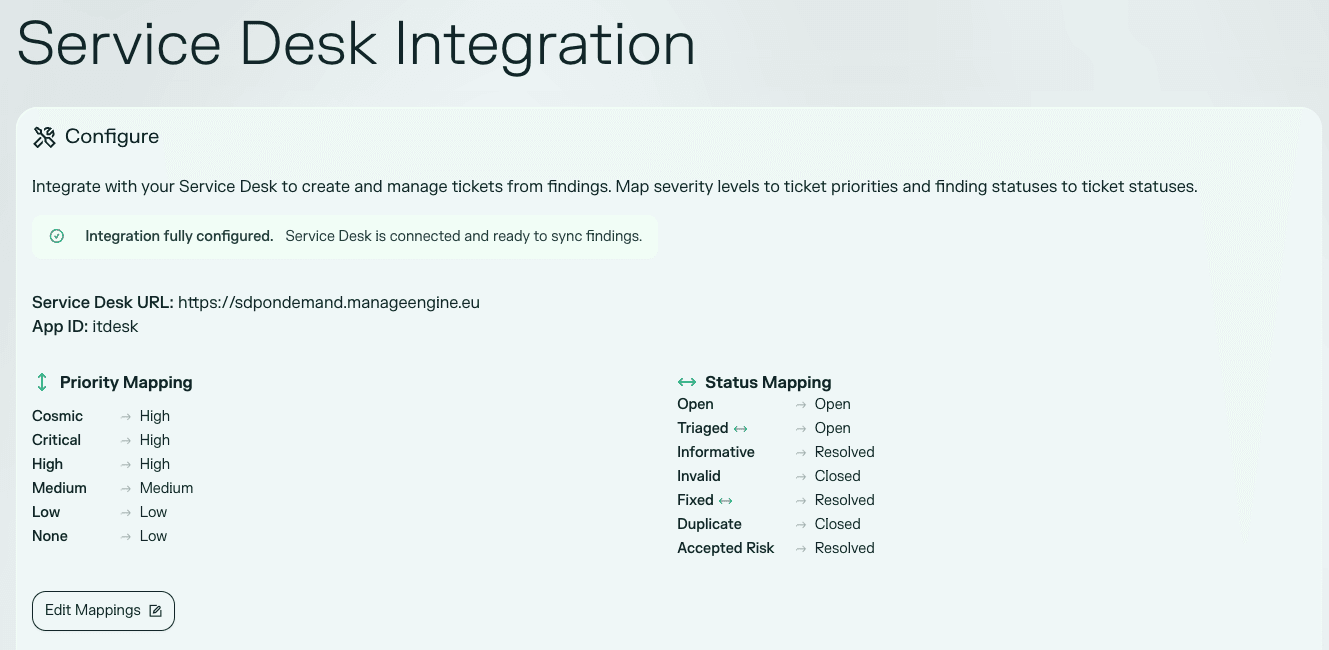
- Base URL: the root URL of your ServiceDesk Plus instance. For example, if your homepage is
https://sdpondemand.manageengine.eu/app/amazingApp, enterhttps://sdpondemand.manageengine.eu. - App ID: the application path segment from your ServiceDesk Plus URL. For example, if your homepage is
https://sdpondemand.manageengine.eu/app/amazingApp, enteramazingApp.
Mappings
After connecting your instance, you will need to configure the following mappings so that Ethiack findings translate correctly into your service desk:
- Finding severity → ticket priority: map each Ethiack severity level to the corresponding priority in ServiceDesk Plus.
- Finding status → ticket status: map each Ethiack finding status to the corresponding request status in ServiceDesk Plus.
Once the mappings are saved, Ethiack will start populating your ServiceDesk Plus instance with new findings and updating the status of existing ones automatically.
Syncing status updates back to Ethiack
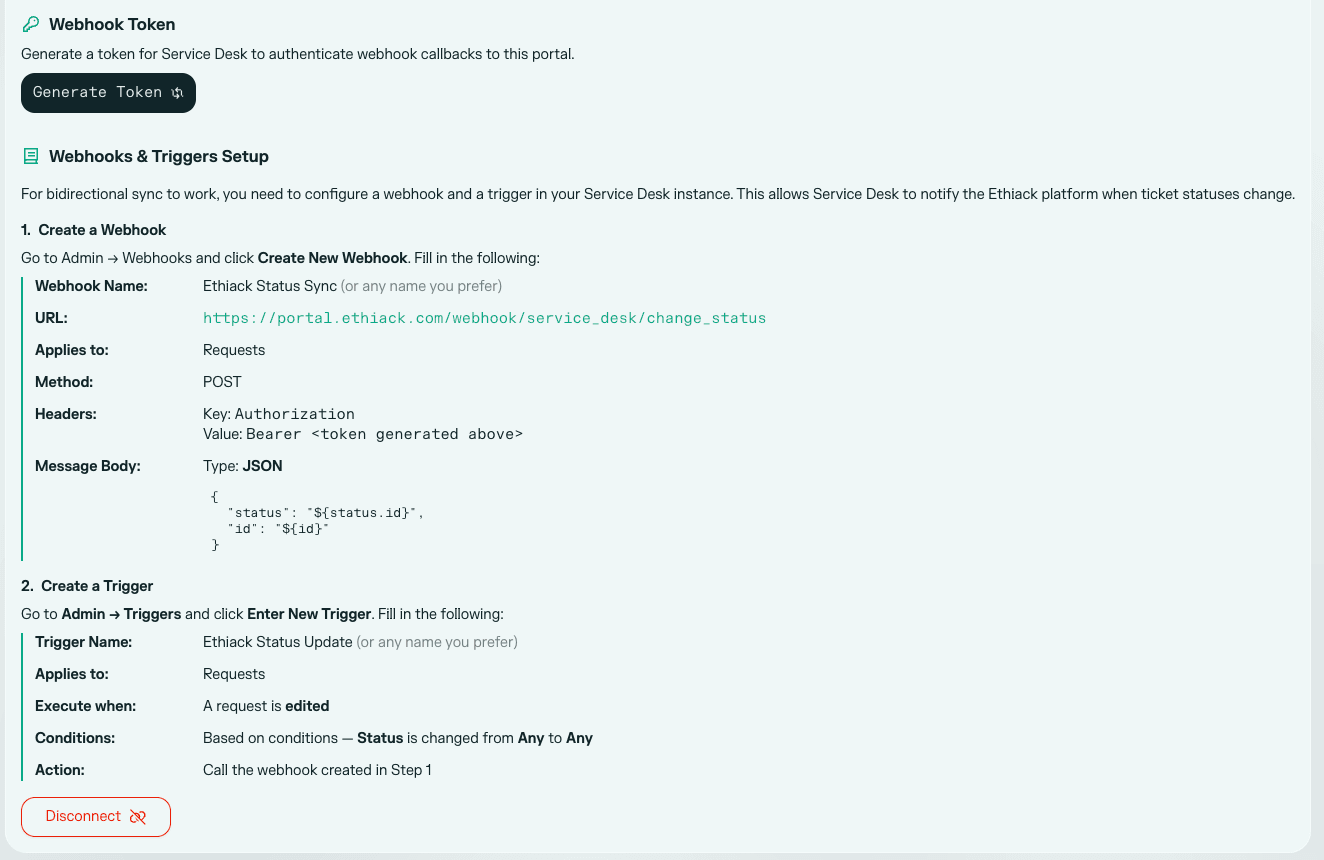
To allow status changes made on the ServiceDesk Plus side to be reflected in Ethiack, you need to set up a webhook on your ServiceDesk Plus instance.
1. Generate a token
In the Ethiack Portal, generate an authentication token for the webhook. This token will be used to authorise incoming calls from ServiceDesk Plus.
2. Create a webhook in ServiceDesk Plus
Create a new webhook in ServiceDesk Plus with the following parameters:
| Parameter | Value |
|---|---|
| URL | https://portal.ethiack.com/webhook/service_desk/change_status |
| Applies to | Requests |
| Method | POST |
Headers:
Key: Authorization Value: Bearer <previously generated token>Body (JSON):
{
  "status": "${status.id}",
  "id": "${id}"
}
3. Create a trigger in ServiceDesk Plus
Create a new trigger in ServiceDesk Plus with the following parameters:
| Parameter | Value |
|---|---|
| Applies to | Requests |
| Execute when | A request is edited |
| Conditions | Based on conditions: Status is changed from Any to Any |
| Action | Call the previously created webhook |
Once the trigger is active, any status change on a ServiceDesk Plus request will automatically update the corresponding finding in Ethiack.