Adding Assets
How to add assets to your attack surface in the Ethiack Portal.
Assets can be added to your surface from the Assets tab. Click Add and select the type of asset you want to add.
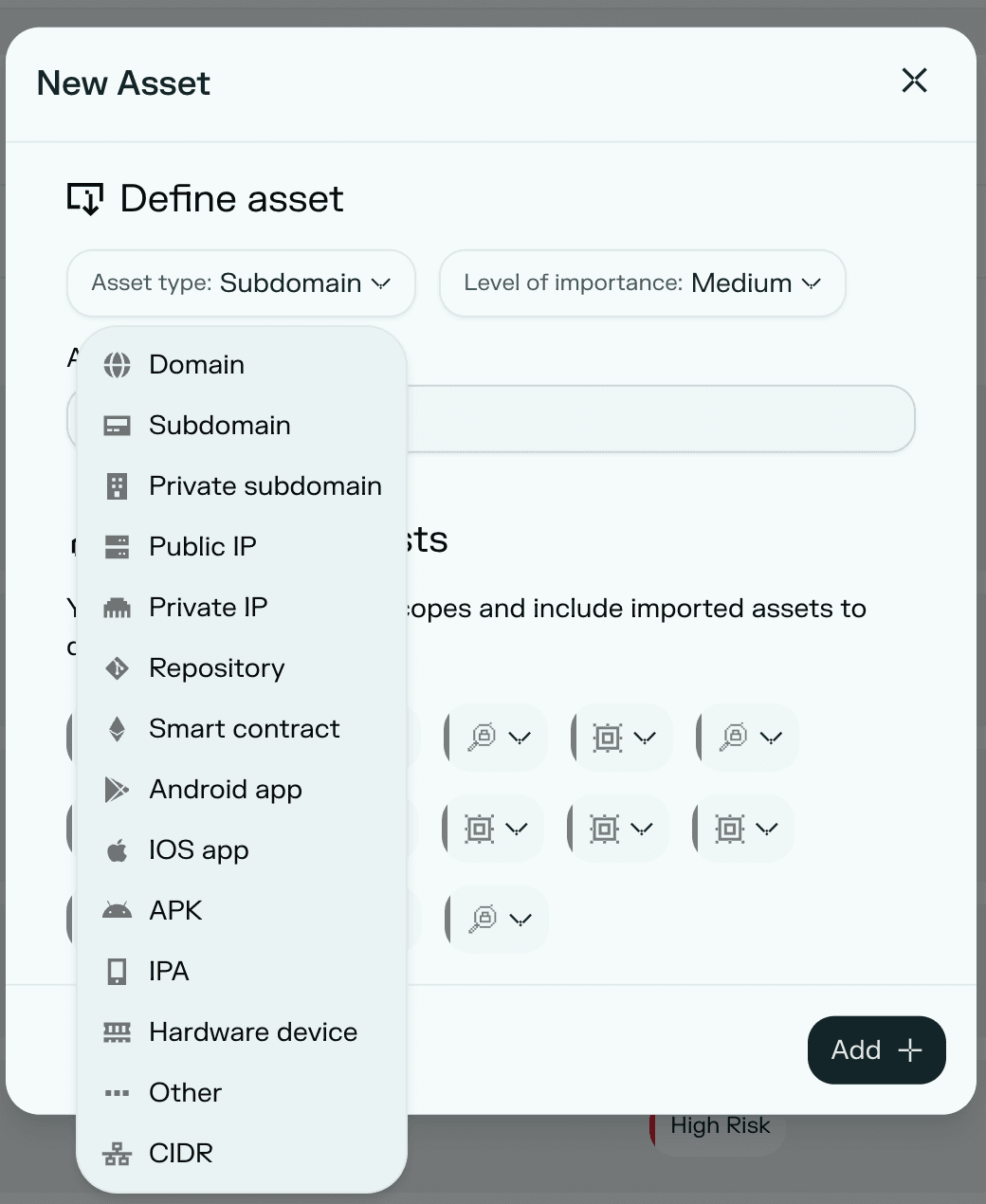
Temporary limitation
Adding a mobile asset by linking to its Play Store or App Store listing (the Android app / iOS app options shown above) is temporarily unavailable. To add a mobile asset today, upload the app file directly using APK (Android) or IPA (iOS) instead, see below. We plan to bring store-ID linking back in a future release; this article will be updated when it returns.
Last checked: August 2026
Supported asset types
| Type | Description |
|---|---|
| Domain | A root domain (e.g. example.com) |
| Subdomain | A publicly accessible subdomain (e.g. app.example.com) |
| Private subdomain | A subdomain only reachable within an internal network. Private subdomains must be associated with a Beacon. |
| Public IP | A publicly routable IP address. Adding a public IP requires validation via the API. |
| Private IP | An IP address within a private network range. Private IPs must be associated with a Beacon. |
| Repository | A source code repository (e.g. a GitHub or GitLab repo) |
| Smart contract | A blockchain smart contract |
| Android app (temporarily unavailable) | Previously supported adding an app by its Google Play Store listing. This option is currently disabled; use APK below to add an Android asset. |
| iOS app (temporarily unavailable) | Previously supported adding an app by its Apple App Store listing. This option is currently disabled; use IPA below to add an iOS asset. |
| APK | Android application package files. This is currently the only way to add an Android mobile asset. |
| IPA | iOS application archive files. This is currently the only way to add an iOS mobile asset. |
| Hardware device | A physical hardware device |
| CIDR | A network range in CIDR notation (e.g. 10.0.0.0/24) |
| Other | Any asset that does not fit the above categories |