How can a Partner request a report for an Organization?
Allowing a partner to request an ethical hacking report via a partner portal is crucial for maintaining robust cybersecurity.
Enabling partners to request ethical hacking reports through a partner portal is vital for proactive cybersecurity. It helps identify and mitigate vulnerabilities quickly, strengthening organization's security and fostering trust and collaboration.
Allowing a partner to request an ethical hacking report via a partner portal is crucial for maintaining robust cybersecurity. This capability ensures that vulnerabilities are promptly identified and addressed, enhancing the organization's security posture. It fosters trust and collaboration between the organization and its partners, ensuring proactive risk management and offensive security testing, ultimately helping the partner and the organization to collaborate in order to safeguard sensitive data and assets.
To request a report for an organization a Partner should follow a few steps:
-
Login into your Partner account.
-
Go to Hacking Center. A dashboard presenting your organizations should be shown to you, in that dashboard a Report section should be present.

-
In that section you can:
- Download a previously generated report.
- Request a new Report.
-
To request a new Report click on Request Report.
-
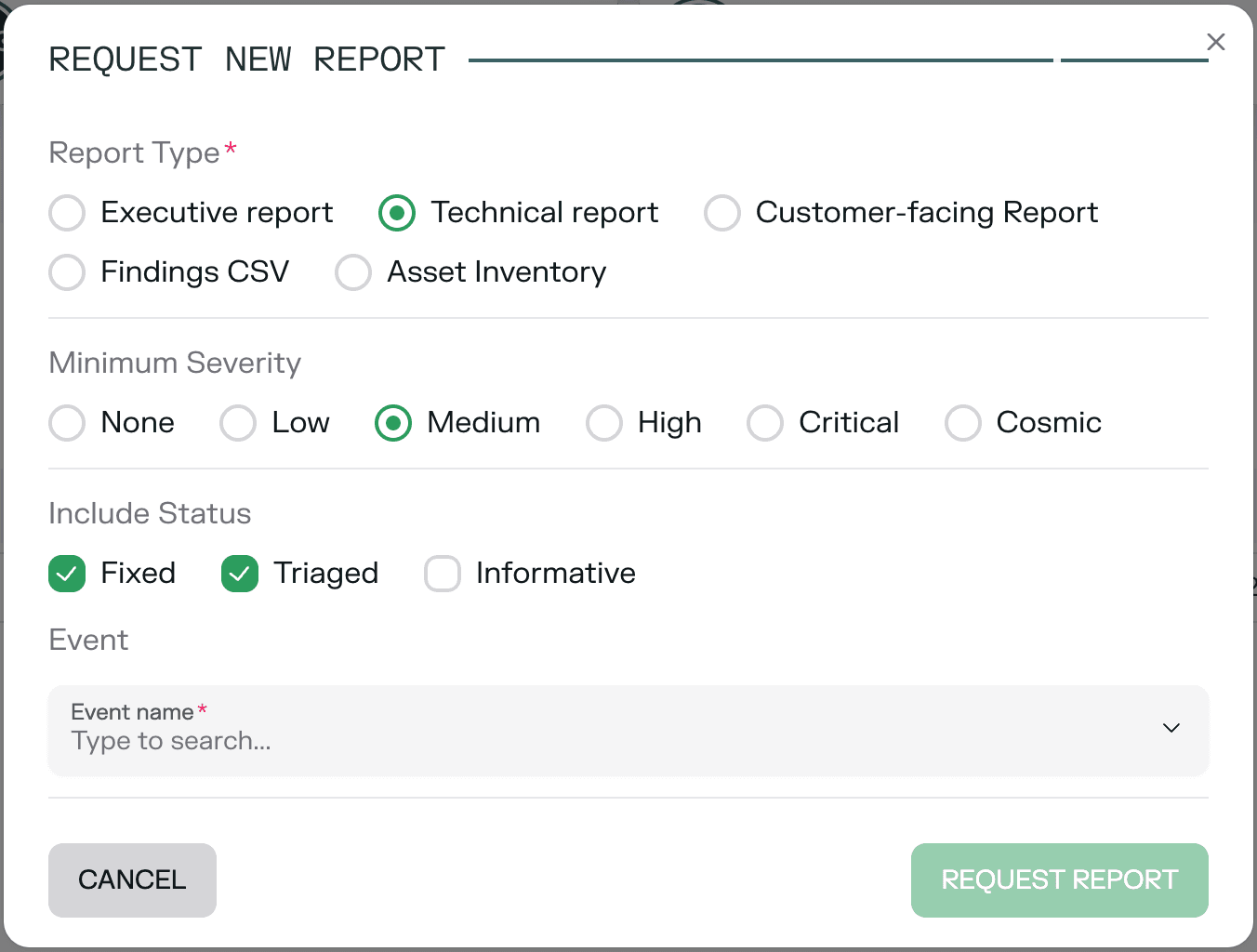
A pop-up will appear and you could select the test for which you want to generate a report, the report type and an interval of dates that you want to focus your result gathering on.
-
As you may see in the previous image you can also select ( on the Technical Report ) which are the minimum severity that you want to be included in report as well as the Status of the findings that you want to include in it.
-
-
Now that you have requested the report we just have to wait that the report generation is completed in order to Download it.
Note: In Expert Pentests scenario you do not need to request the report. It will be presented and delivered to you by the Ethiack Team and as soon as it's ready it will be automatically available in this Report sections as well.
How to impersonate an Organization?
Impersonating an organization via a partner portal allows partners to seamlessly access and manage resources as if they were part of the organization.
How can a Partner invite a new organization and link it with the Partner?
Enabling partners to invite new organizations to the partner portal through referral links is vital for seamless business expansion and collaboration. This functionality ensures that the new organizat